Friday, December 28, 2012

Focke-Wulf VTOL - Part 2


Now it's time to work on the fuselage.

Creating the wireframe


Freezing the object will produce the wireframe that I can then directly work on.
Unfortunately, the wireframe produced is "nice", it is not suitable for producing card models from.

Simplifying the wireframe

In order to produce a card model friendly wireframe, the current one has to be simplified.
It's time to whip out the Knife Tool!

Cleaning up the lengthwise segments

First, I got rid of a couple of lengthwise segments using the Knife Tool's "Erase Chained Lines" function.

Cleaning up the crosswise segments


For the crosswise segments, chose to keep those that lined up with the "joints" depicted in the 3-view diagrams.  By doing this, I'll have an easier time in making the UV-Maps later on.

Cleaning up the flaps and elevons

As with the previous step, I'd like to line up another segment along the "joint" between the main fuselage and the control surfaces.  For this, I had to create a new segment by using the knife tool's, "Cut with a knife" function.

After that, it's only a matter of brute force / manual clean up.

Finally...

Nothing much here except another round of brute force / manual cleanup through vertex joins and deletions....

Next steps

At this point, I can now start punching a hole on the top of the fuselage for the rotors.
But then again, I can also start working on the cockpit....


Sunday, December 9, 2012

Focke-Wulf VTOL - Part 1

For my new project, I'm going to tackle the Focke-Wulf VTOL project.
As with other Luft'46 projects, this one never left the drawing boards.  Had it flown, I reckon it might have been the closest thing to a Harrier jumpjet. :)

If you want more information regarding this plane, do head on to www.luft46.com.

Laying down the foundations

As with most, if not all models that are based on 3-view diagrams, the first step would be to setup the 3-view to be used for the 3d modelling software.  I start by getting the 3-view image from www.luft46.com


Then, using a graphics app, I broke apart the 3-view into 4 separate bitmaps, which I'll be labeling as "top", "bottom", "side" and "front". 

I then save the "top", "bottom", "side" and "front" into separate bitmaps.


Then, on Metaseq, create three plane/rectangle objects.  On one of the faces, I apply the "top" and "bottom" bitmap on the front and rear faces.  I apply the "front" and "side" bitmap on the other two rectangles.  This produces the "template" on where I'll be building the 3d model on.


Creating the main components

For the main components which will comprise the overall appearance of the model, I will be using spline patches.  Patches are best for modeling curved surfaces.

I first start with the main body or fuselage. 

Then proceed to make the cockpit.

And lastly, the rudder.

When put together, here's how it looks.

At this point, it looks really rough...almost like it was created from putty. 
You'll notice that the trailing edges of the wing's flaps, ailerons and rudder are kinda rounded.  That's not an issue, as I'll show as the model progresses.

The purpose of using spline patches is to capture the almost organic curves that make up for 90% of the model's body.  And for that it has succeeded.

The next step would be to "freeze" the spline patches to create the actual wireframes.  From there I'll start to do boolean operations to punch a hole through the fuselage to make room for the propellers.

Monday, November 26, 2012

Henschel HS-132 - Diagrams Available!


Should you wish to build my model, you can download the diagrams from www.papermodelers.com.
Enjoy!

- Eric

Saturday, November 3, 2012

Henschel HS-132 - ALL DONE!

Some finishing touches...the BOMB.

 
Lots of fiddly pieces...  The the bars on the fins were a bit of a pain to assemble.


Bomb done! 
Now it's time to put all the parts together.

All done!


Now I'll need to write some assembly instructions.  Once done, I'll release this model, then start on my new one!


Sunday, October 21, 2012

Henschel HS-132 - Part 23

Here's my update for this weekend:

The landing gears!  Lots of fiddly parts.  I had to go really slow on these.


After the glue dried, I finally got to attach them to the main body of the plane.

And finally, the HS-132 can now stand on its own three legs. :)
Good thing I haven't attached the engines yet.  I've already put in three medium sized computer screws in the nose.  But it's still turning out to be a tail sitter.  With the fuselage cavity still open, I can still attach more weight.


Sunday, October 14, 2012

Henschel HS-132 - Part 22

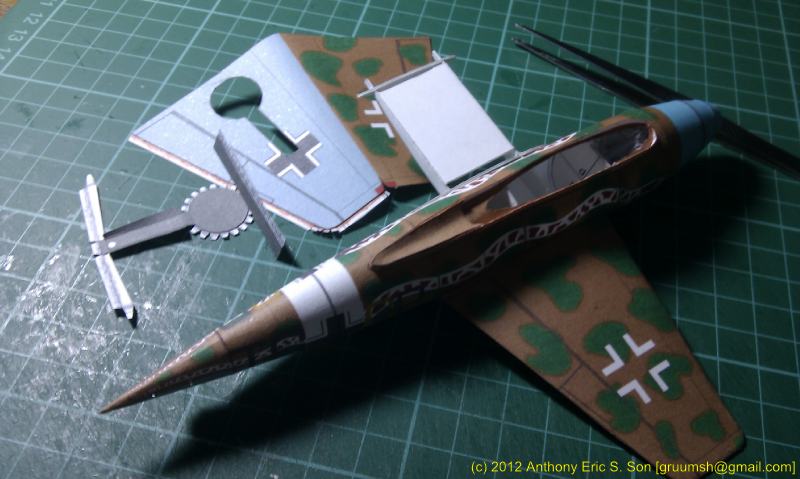
Tails done!

 
I was a bit worried about the rudder because there was no other way to design it other than to to have the open edges facing forward.    Thankfully, they turned out pretty well. 


Here's a shot with the wings, elevators and rudders finally assembled.

Bottom shot showing the wheel wells.


Finally, a shot with the engine fitted.  The only things remaing are the landing gears and the SC500 bomb. 

Sunday, October 7, 2012

Henschel HS-132 - Part 21

Time to put some wings on this plane!

 
I'm VERY happy with how the wings turned out.  In my previous designs, I always relied on using separate parts for making the wingtips.  This time, I carefully worked with the quirks of Metaseq to produce a 1 piece wing.  (Or rather... treat the whole wing as the wingtip..hehe)
 
I also made use of a stubby set of wing formers.


 The wings fit the fuselage really well!   


Here's a shot with the Engine and Wings dry fitted to the fuselage.  I'll resist the temptation of gluing them on until I've finished the tail part.
But that will have to wait till next weekend. :(